
Data Cleaning Assistant
Data cleaning is the part of every data project that nobody wants to do. It’s tedious, repetitive, and requires knowing enough pandas to translate a vague goal (“make the hired column a boolean”) into working code. Data Cleaning Assistant removes that friction entirely: upload a CSV, describe what you want in plain English, and get back a cleaned dataset plus the exact Python script that produced it—reproducible and ready to reuse.
The Interface
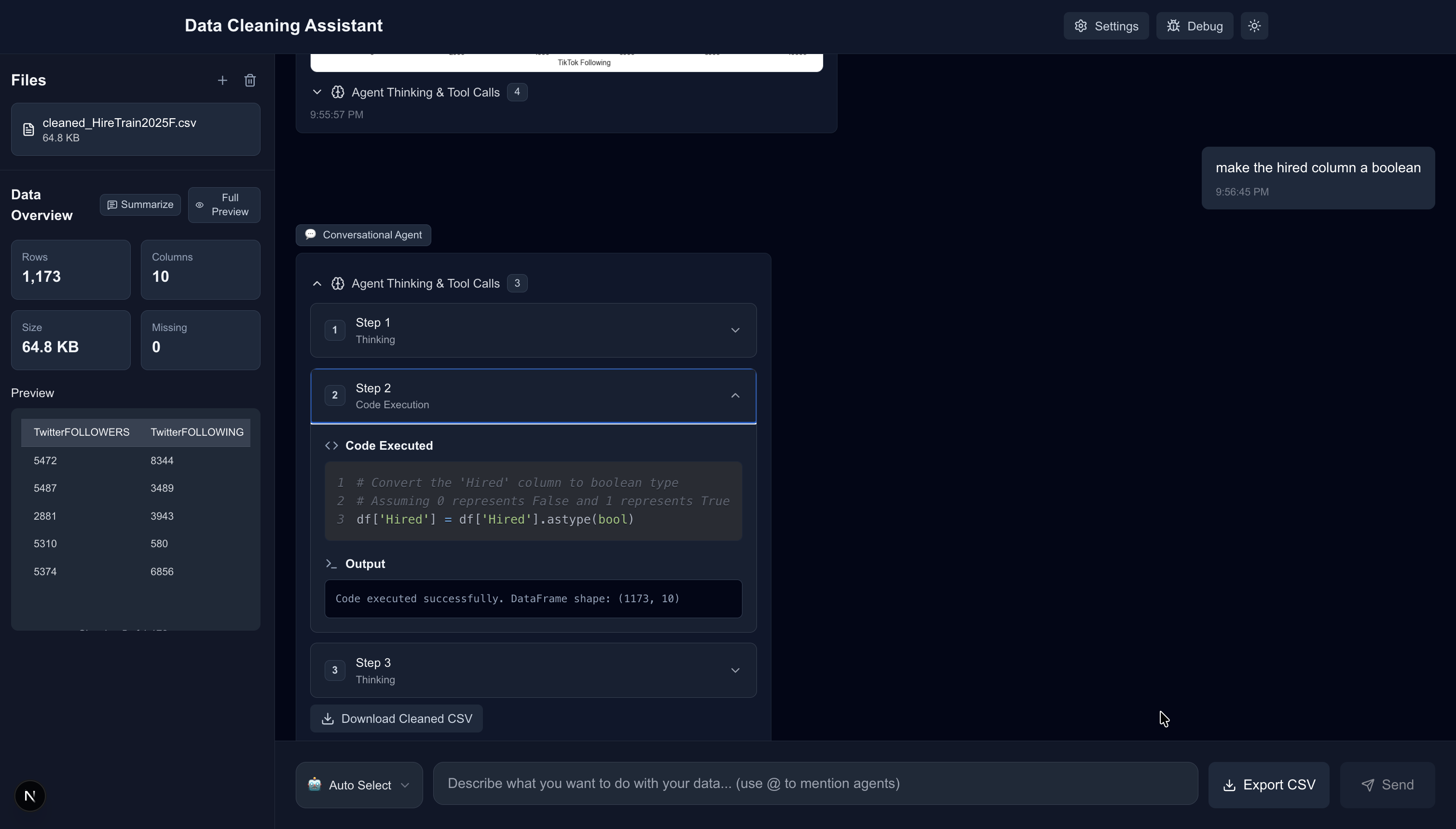
The layout is built around three panels: a file sidebar showing the uploaded CSV with instant stats (rows, columns, missing values, preview), a chat window where you describe tasks in natural language, and an agent activity trace that shows the AI’s thinking, the code it generated, and the execution output—all collapsible so you can see as much or as little as you want. When the job is done, a “Download Cleaned CSV” button appears alongside an “Export CSV” option at the bottom.
The agent activity panel above shows a three-step execution for “make the hired column a boolean”—the agent reasons through the type conversion, generates df['Hired'].astype(bool), runs it, and confirms the DataFrame shape is unchanged. Every transformation is transparent and inspectable.
Visualization on Demand
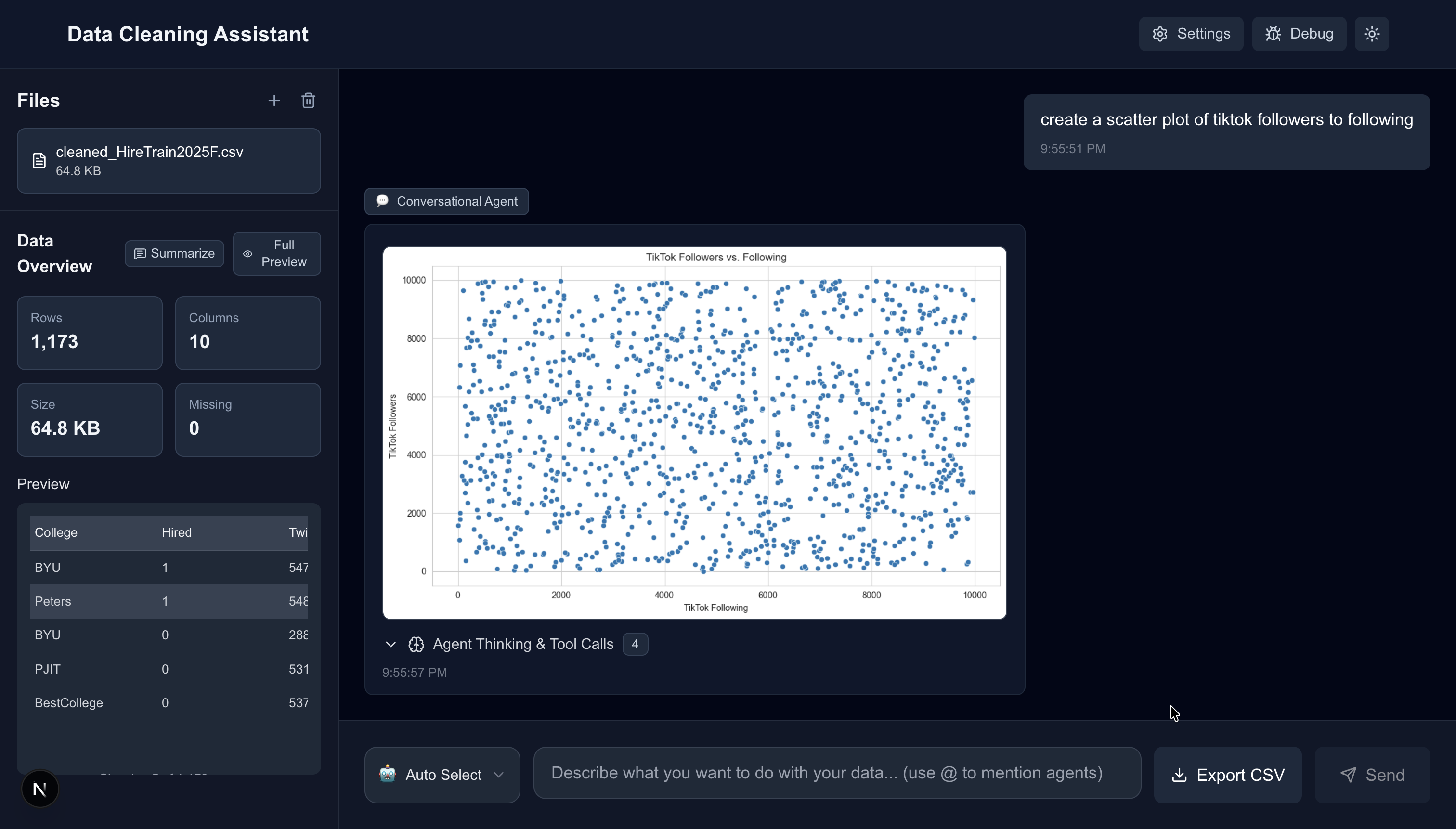
Cleaning is only half the job. Ask for a scatter plot, a histogram, a correlation matrix—the visualization agent generates matplotlib/seaborn figures and renders them inline in the chat. The example above plots TikTok followers vs. following from a social media hire dataset, produced by typing “create a scatter plot of tiktok followers to following.”
Statistical Analysis
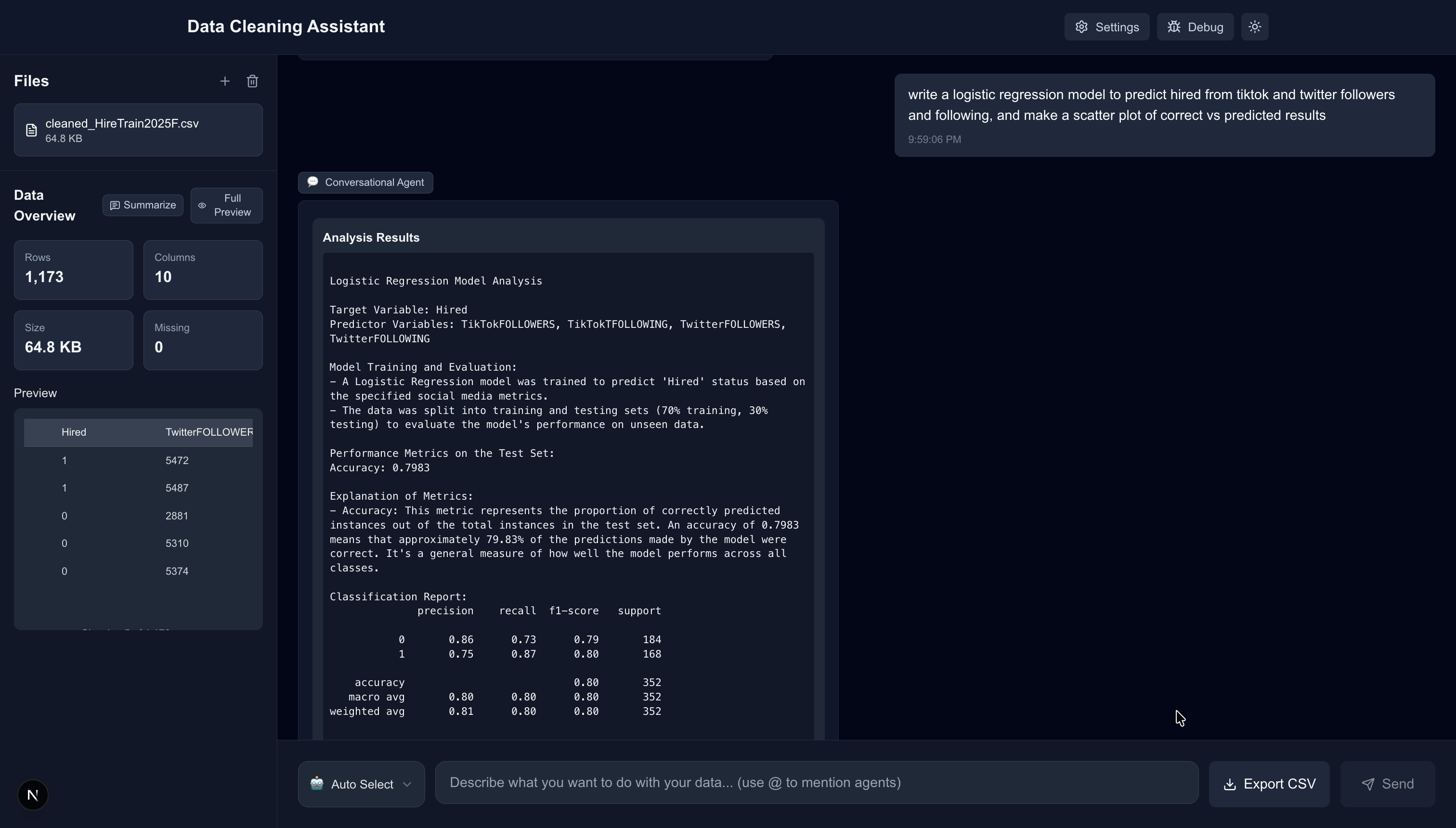
The statistical analysis agent can run models directly on your data. In the example above, the user asked for a logistic regression to predict whether someone would be hired based on TikTok and Twitter follower counts—the agent trained the model, split the data 70/30, evaluated it, and returned a full classification report (accuracy: 79.8%, precision/recall breakdown by class) all in one message.
How It Works
The backend is a 12-agent system built on FastAPI and Google Gemini. Each agent has a narrow specialty:
- Conversational Agent — orchestrator that detects intent and routes to the right specialist
- Code Execution Agent — generates and runs pandas/numpy code in a sandboxed environment (no
exec/eval, whitelisted imports only) - Data Exploration Agent — computes shape, dtypes, null counts, unique values, and produces natural language summaries
- Visualization Agent — matplotlib/seaborn figure generation, returned as base64 images
- Statistical Analysis Agent — runs regression, classification, and statistical tests via scipy/sklearn/statsmodels
- Proactive Suggestions Agent — on upload, scans the dataset and suggests relevant one-click cleaning actions
- Regex Agent — generate, explain, and preview regex patterns against your columns
- Data Merging Agent — combine multiple uploaded CSVs
- Planning Agent — breaks complex multi-step tasks into an ordered plan, then executes step by step
You can route directly to any agent with @mentions in the prompt (e.g. @visualization create a histogram of age), or let the conversational agent decide automatically.