Lykke — AI Study Platform
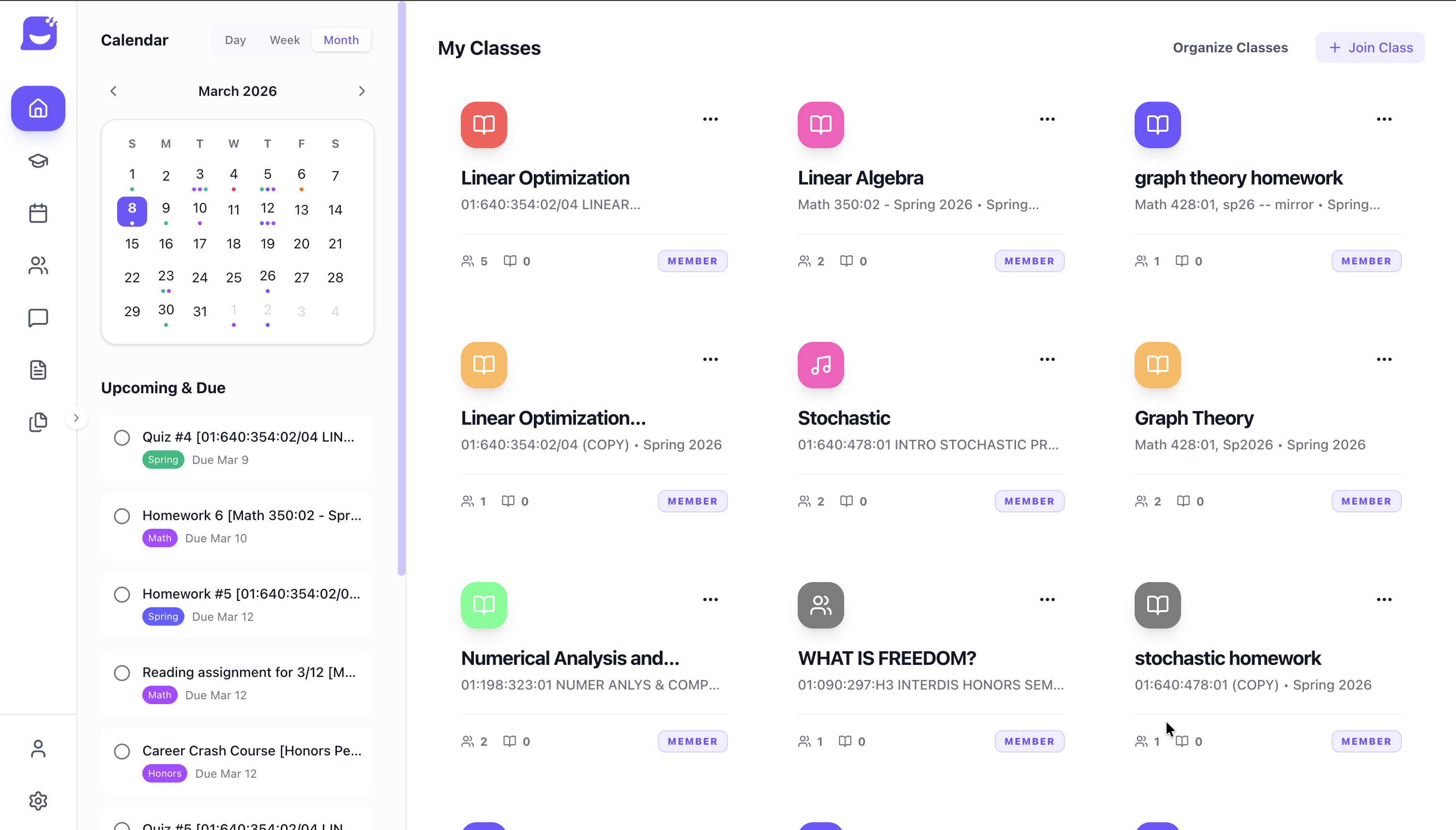
Students spend more time hunting for materials than actually studying. Notes scattered across Google Drive, assignments buried in Canvas, lecture slides downloaded and forgotten—by the time exams hit, half the battle is just finding everything. Lykke fixes that. It’s an AI-powered study platform that connects to your Canvas account, ingests your course materials, and turns them into flashcards, quizzes, infographics, and personalized study plans—all from the actual content of your classes. Currently used by 285+ students across UC San Diego, Michigan, and UT Austin.
The Study Workspace
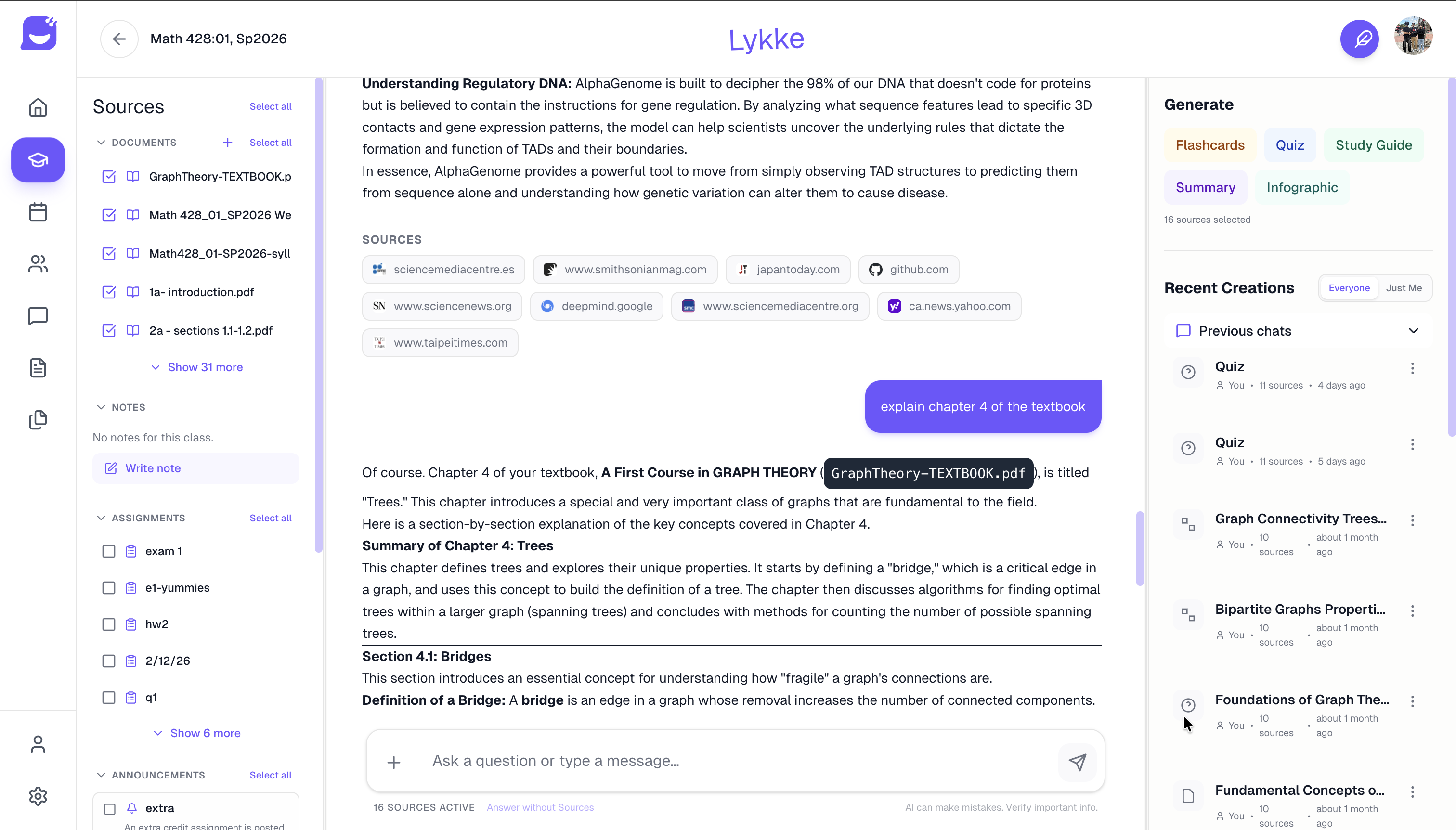
The core of Lykke is a RAG-powered chat interface that knows your course materials. Upload your textbooks, notes, and PDFs, and the AI answers questions with citations pulled directly from your documents—not the internet. The right panel tracks everything generated: flashcards, quizzes, study guides, and infographics, all organized by class.
The system uses a LangGraph multi-agent backend with specialized agents for each task:
- Chat Agent — conversational Q&A with document context, web search fallback, and streaming responses
- Study Agent — generates flashcards and quizzes adapted to your difficulty preferences
- Weekly Plan Agent — reads your Canvas calendar and builds a personalized study schedule around upcoming exams
- Orchestrator Agent — routes complex queries across research, calculator, LMS data, and stress heatmap agents
AI-Generated Infographics
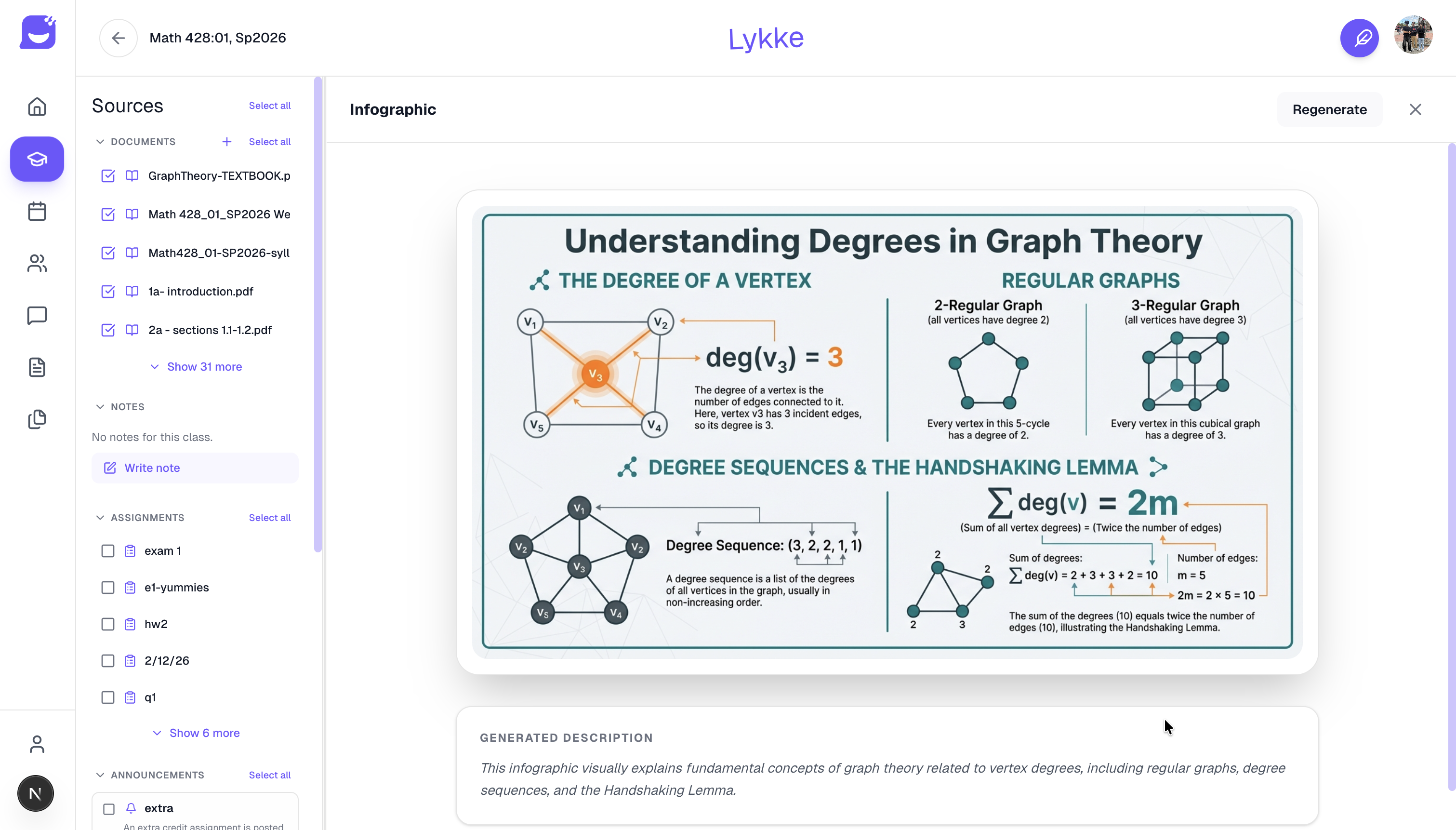
One of Lykke’s most distinctive features: paste in a textbook chapter or lecture notes and get a publication-quality infographic in seconds. The AI reads the content, identifies key concepts and relationships, and produces a structured visual explanation with diagrams, formulas, and definitions. The example above was generated from a Graph Theory textbook—the kind of visual that would normally take an hour to make by hand.
Community & Discovery
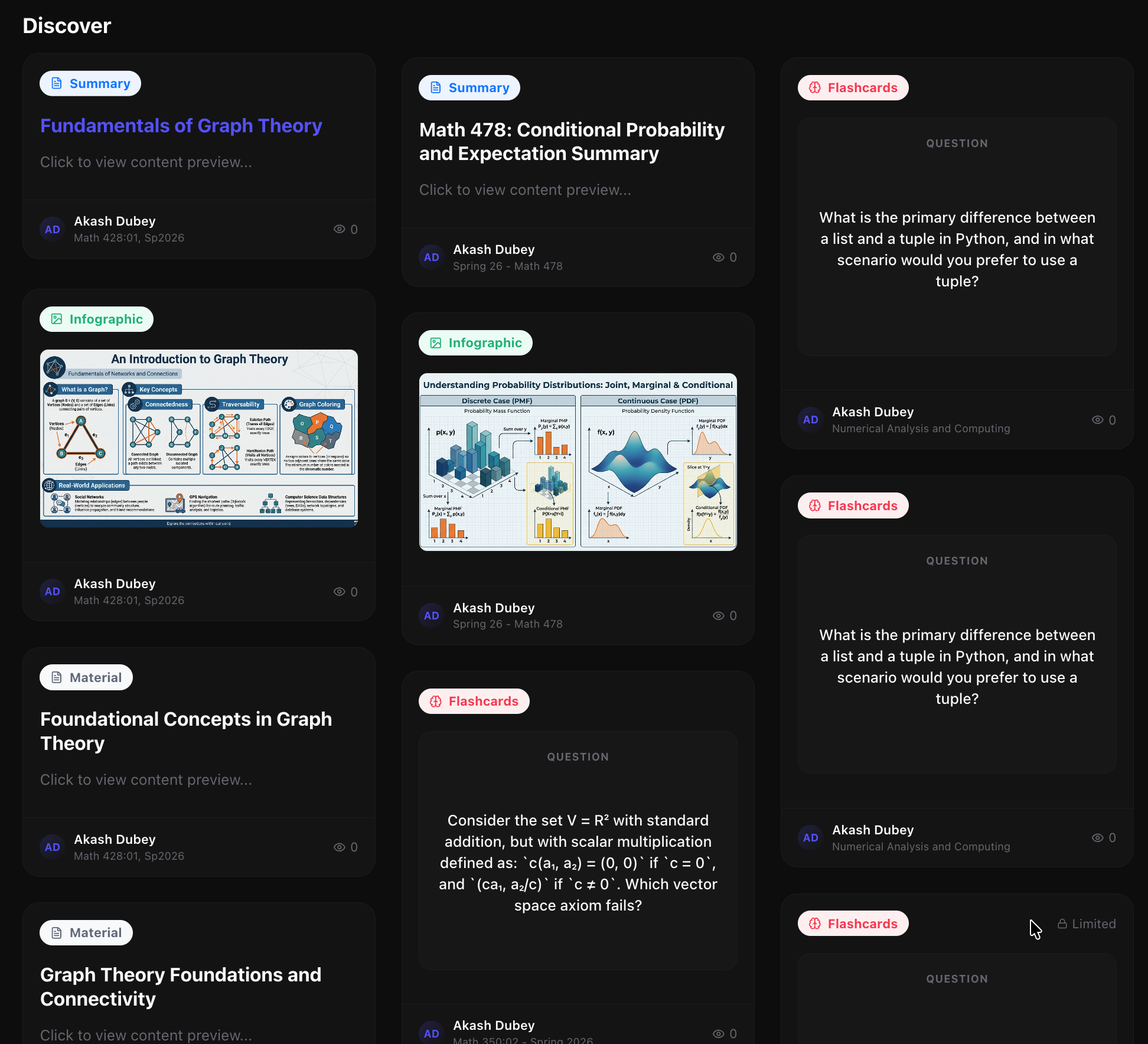
Study materials don’t have to be private. The Discover feed lets students browse summaries, infographics, and flashcard sets shared by classmates in the same courses. If someone already made great flashcards for Math 478, you don’t have to regenerate them. The community layer turns Lykke into a collaborative knowledge base that improves as more students use it.
Why It’s Hard to Build
Connecting an LLM to a student’s actual course materials—not generic internet content—requires getting several hard things right simultaneously:
Semantic retrieval at scale. Every uploaded document is chunked, embedded with text-embedding-3-large, and stored in Zilliz (cloud Milvus). When a student asks a question, the system retrieves the most relevant passages via vector similarity + keyword hybrid search, re-ranks them, and injects them as context. This means answers are grounded in the student’s actual materials, not hallucinated.
Canvas integration. Rather than asking students to manually re-upload everything, Lykke connects directly to Canvas via OAuth. A Chrome extension extracts course data and files from the LMS, posts them to the backend, and they’re automatically embedded and indexed. Assignments, due dates, and grades flow in automatically—the weekly plan agent reads the Canvas calendar to build study schedules around real exam dates.
Dual-backend architecture. The platform runs a production Java Spring Boot backend for auth and legacy notes alongside a Python FastAPI backend for all AI operations (agents, RAG, vector search, document processing). The frontend intelligently routes requests between both, giving users a seamless experience while the AI infrastructure scales independently.